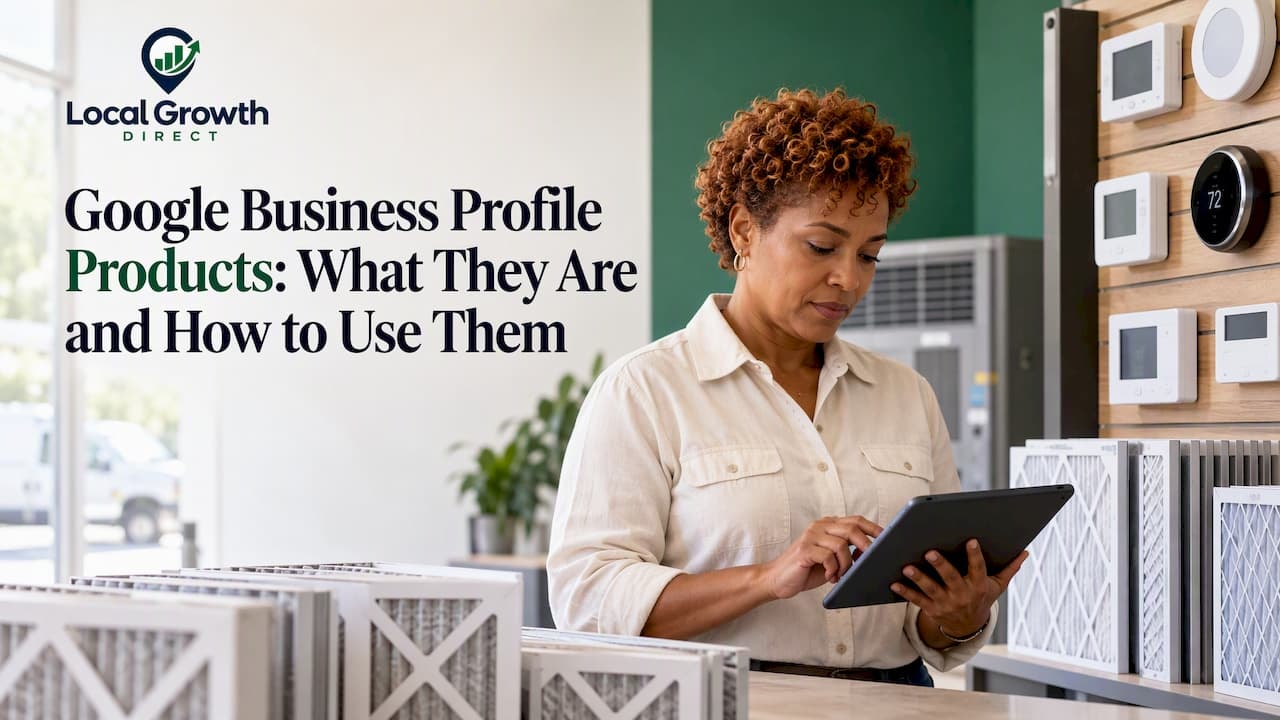
Google Business Profile products are physical goods you list on your profile so people searching on Google can see what you sell. You add them through the product editor or, if you have barcoded inventory, through an automated in-store feed. They suit stores that sell items. If you run an HVAC, plumbing, roofing or other service business, the feature you want is usually Services, not Products. This guide explains the difference, shows how to add and edit products, and covers the rules that can get listings limited.
TL;DR
- Products are for businesses that sell physical goods. Businesses that sell labor and expertise should use the Services editor.
- You can add products manually in the product editor, or automatically through a point-of-sale (POS) system or Google's Local Inventory tools if your items have barcodes.
- Product submissions must follow Google's Shopping policies. Violations can lead to removal of uploaded products.
- Google says in-store products may increase store visibility, but it promises no ranking or lead outcome.
- For most home service companies, the biggest gains come from services, categories, reviews, posts and photos, not products.
Table of Contents
- What Google Business Profile products are
- Who can use the product editor
- Products vs. services: which one is yours?
- How to add, edit and remove products
- Where products show up
- What the evidence says about visibility and leads
- Content and image rules that keep your products visible
- Perspective: why service businesses should skip products and fix the basics
- When it makes sense to get help
- Work with Local Growth Direct
- A 30-day checklist
- FAQ
- Sources
What Google Business Profile products are
A product on a Business Profile is a physical item a local business sells, shown with an image and details. Google describes the product editor as the tool for a local store that sells physical goods, especially one without an online purchase website, with products that have no barcodes, or with fresh stock-availability information to share.
Think of a hardware store, a boutique, a garden center or a bike shop. A shopper searches for the store, sees the profile and browses what is on the shelves before driving over. That is the job products do.
A few things to know up front:
- Products are tied to a verified profile. Verification is the first gate for everything in this guide, and our video verification checklist walks through it for service businesses.
- Your business must be eligible for a profile at all. Google's eligibility guidance says only businesses that make face-to-face contact with customers qualify. That includes storefronts and service-area businesses that travel to customers, but not online-only businesses.
- Eligibility for a profile does not mean every category should use every feature. Products fit retail. Services fit trades and professionals.
Who can use the product editor
The product editor is the manual route. Per Google's help page, it suits local stores that sell physical goods and want to upload product images themselves. Typical fits include:
- Independent retailers without an e-commerce site.
- Shops whose inventory has no manufacturer barcodes, such as handmade goods, local art or used equipment.
- Stores whose stock changes often and who want to show what is on hand.
The automated route has stricter requirements. For in-store product feeds in the United States, Google requires a physical store, a verified Business Profile, an eligible vertical, and products with manufacturer UPC or EAN barcodes handled through a compatible wired barcode scanner or POS system.
If you do not meet those conditions, the product editor is not available as a shortcut. A plumber who happens to sell a few water filters is a gray area. A plumber whose real product is a repair visit should put that energy into services.
Products vs. services: which one is yours?
This is the question behind most searches for this keyword, and the answer depends on what a customer actually pays you for.
| Products | Services | |
|---|---|---|
| What it lists | Physical goods you sell | Work you perform |
| Best for | Retail stores, shops, stockists | HVAC, plumbing, electrical, roofing, med spas, chiropractors, professional firms |
| Editor | Product editor or in-store feed | Services editor |
| Extras | Images, product details, availability | Category suggestions, custom entries, descriptions, prices |
Google's own help text draws the same line: the product editor is for local stores selling physical goods, and businesses that sell services add them with the Services editor.
The Services editor is for businesses in eligible categories, especially service businesses. Local customers may see relevant services highlighted on your profile and can view the full menu under Services in the Google Maps app. You can pick from category-specific suggestions or create custom entries, group them into categories, and add descriptions and prices.
A practical rule: if the customer's question is "do you carry this?", you want products. If it is "can you fix this?", you want services.

A worked example for a home service company
Say you run an HVAC company. A useful services list might include furnace repair, AC installation, duct cleaning, heat pump replacement and maintenance plans. Each gets a short, plain description of what is included and who it is for, plus a price only if you can honor it. That menu answers the exact questions callers have, and it sits next to your categories, which are the other half of the equation. Our 15-minute category audit shows how to check that your primary and secondary categories support the services you list.
If you also sell thermostats or air filters in a showroom, the product editor could add a small retail layer. Treat it as a bonus, not the core of the profile.
How to add, edit and remove products
Manual entry in the product editor
Per Google's help page, the manual flow looks like this:
- Open your Business Profile on Google Search while signed in to the account that manages it.
- Select Edit products.
- Complete the product fields: a clear image, name, category and description, plus price where offered.
- Choose Publish.
To change an item, select the existing product, update it and publish again. To remove one, select the product and choose Menu > Delete.
The menu labels in Google's tools shift from time to time, so if a button has moved, follow the current help page rather than an old screenshot.
Automatic feeds for barcoded inventory
If you have a real catalog, typing items one by one is the wrong approach. Google says in-store products can be added automatically at no charge through the Local Inventory app, compatible POS systems such as Clover, Square and Lightspeed, or inventory sources from partners including Instacart, DoorDash and Uber Eats.
One warning matters here. Google notes that manually uploaded products can be replaced once automatic product ingestion is turned on. Manual contributions are retained until more products arrive automatically. If you have hand-written product descriptions you care about, expect them to be overwritten, and keep a copy.
Where products show up
Products added in the editor appear in your Business Profile on Google Search. In-store product listings go further: Google says they may appear on Google Search, Google Maps and the Shopping tab, with free local listings showing products and store information to nearby shoppers. Availability can be displayed so people know what a store carries before they visit.
Presentation changes over time. A 2022 Search Engine Land report on Google's product guidance described a products carousel on Maps mobile and a carousel plus a Products tab on Search. Customers could open product details, categories, contact options or a website order link. Your own profile may look different today, so check how it appears on your phone and on desktop after you publish.
What the evidence says about visibility and leads
Here is the honest version. Google says in-store products may increase store visibility and help shoppers see what a nearby store sells and whether items are in stock. That is a statement about shopper experience, not a ranking promise.
We are not aware of Google publishing a guarantee that adding products lifts your position in the map pack, and we would be skeptical of anyone who claims one. What products can do is reduce friction. A shopper who sees your item and its availability is more likely to call, get directions or walk in than one who sees only a name and a star rating. Measure that with the Calls, Directions and Website click figures in your profile performance data before and after you add a catalog, and judge it over several weeks, not days.
For ranking in the map pack, the factors that move the needle are different: relevance (categories and services), distance and prominence (reviews, links, brand mentions). We cover those in our guide to Google Maps SEO and the map pack.
Content and image rules that keep your products visible
Product visibility is conditional. Google states that product editor submissions must comply with Shopping Ads policy, and that violating submissions can result in removal of all uploaded products. That is the whole catalog, not just the offending item.
Google's product approval policies add that product data failing its specifications or Shopping policy requirements may receive warnings, disapprovals, limited visibility or suspension.
In practice, that means:
- Use your own photos. Show the actual item, clearly lit, on a clean background. Skip logos, watermarks, promotional text and stock images that misrepresent what you sell.
- Write plain product names. Name, brand and key attribute. Leave out keyword stuffing, phone numbers and calls to action.
- Keep prices and availability honest. If the shelf is empty, update or remove the item.
- Do not list what you cannot sell. Anything restricted under Shopping policies should stay off the profile.
- Do not list services as products. Putting "AC tune-up" in the product editor is the kind of mismatch that creates problems and confuses customers.
This is also why approval and data quality are part of a bigger picture of how search systems interpret your business. If you want to go deeper on how Google builds an understanding of a brand across the web, this piece on how Google understands your brand is a good next step.
Perspective: why service businesses should skip products and fix the basics
We work only with local service businesses, so our view is specific. When an HVAC owner, roofer or med spa asks us about the Products section, the real question underneath is almost always "how do I get more calls from Google Maps without paying for ads?"
Products are rarely the answer. A service profile wins on a handful of fundamentals:
- The right primary category, and secondary categories that match real revenue lines.
- A complete services list with clear descriptions.
- Fresh photos of real crews, trucks and finished jobs.
- A steady flow of genuine reviews, with replies to every one.
- Consistent business details across your website and directories.
- Regular posts that show the profile is active. We cover those in our guide to Google Business Profile posts.
Only after those are in place do we look at secondary features. If you sell physical goods alongside your services, a small product set can help. If you do not, forcing a product section onto a service profile is wasted effort and a policy risk.
The other common mistake is treating the profile as a one-time setup. Maps results change as competitors add reviews and fix their own listings, so the profile needs regular attention. That is why we handle updates, review replies and tracking for clients rather than handing them another tool to log into.
— John
When it makes sense to get help
Some owners can handle products themselves. If you run one shop, have a dozen items and an hour a month, the product editor is manageable. Help becomes worth it when:
- You have several locations and need consistent data in each. See our guide to multi-location Google Business Profile management.
- You serve cities rather than a storefront, and need to rank across them. Our service area business SEO guide explains how.
- A policy flag or suspended listing is costing you calls and you do not know why.
- You have a strong website but a weak profile, and competitors keep outranking you on the map.
If you are weighing whether to do it yourself, DIY or hire: Google Business Profile services lays out the trade-offs.
Work with Local Growth Direct
Local Growth Direct manages Google Business Profiles for local service businesses in HVAC and home services, automotive, health and wellness, and professional services. We handle the hands-on work: profile optimization, services and content updates, review monitoring and response, Google Maps visibility tracking and competitor analysis, with ongoing reporting. You do not have to learn a new platform.
See what is included in Google Business Profile management, or start with a personal local SEO audit to see where your profile stands against the competitors taking your calls.

If your profile is not set up or verified yet, our Google Business Profile setup page is the place to begin.
A 30-day checklist
Whether you sell goods, services or both, this order keeps effort pointed at what matters:
- Week 1: Confirm verification, categories and business details. Fix anything inconsistent.
- Week 2: Build out the services list with descriptions. If you sell physical goods, decide whether to use the product editor or a POS feed.
- Week 3: Upload real photos. Add products only if they are real inventory and photographed clearly.
- Week 4: Set up a review request routine and reply to every existing review. Note your baseline calls, direction requests and website clicks.
Then revisit the numbers monthly. For a longer roadmap, our 90-day Google Business Profile plan covers the full sequence.
FAQ
How do I change products on my Google Business Profile?
Open your profile on Google Search, select Edit products, choose the item, update its details and publish. To delete one, use Menu > Delete. If you have turned on an automatic inventory feed, manual edits may be replaced as products are ingested automatically.
What are the Google products for business?
Google offers several tools for businesses, including Business Profile for free local listings, Google Ads for paid placement, and Merchant tools for retail inventory. For local visibility, the Business Profile is the starting point, and its Products and Services editors are features within it.
Do I really need a Google Business Profile?
If you serve customers face to face or visit them at their location, you are eligible, and the profile is usually how people find you in Google Maps and local results. Online-only businesses are not eligible under Google's guidance. For most local service companies, it is among the highest-return places to invest time.
Should an HVAC or plumbing company use the Products section?
Usually not. Google points businesses that sell services to the Services editor, where you can add services, descriptions and prices. Use Products only if you sell physical goods to walk-in customers, and make sure each item follows Shopping policy.
Can products hurt my profile?
They can if they break the rules. Google says violating submissions can lead to removal of all uploaded products, and data-quality problems can limit visibility. Keep images accurate, details honest and only list items you actually sell.
Sources
- About product editor - Google Business Profile Help
- Showcase in-store products on Google Search & Maps
- Get started with Google Business Profile
- Manage your services on your Business Profile
- Product approval policies - Google Business Profile Help
- Google Business Profile guidelines updated to include products - Search Engine Land