
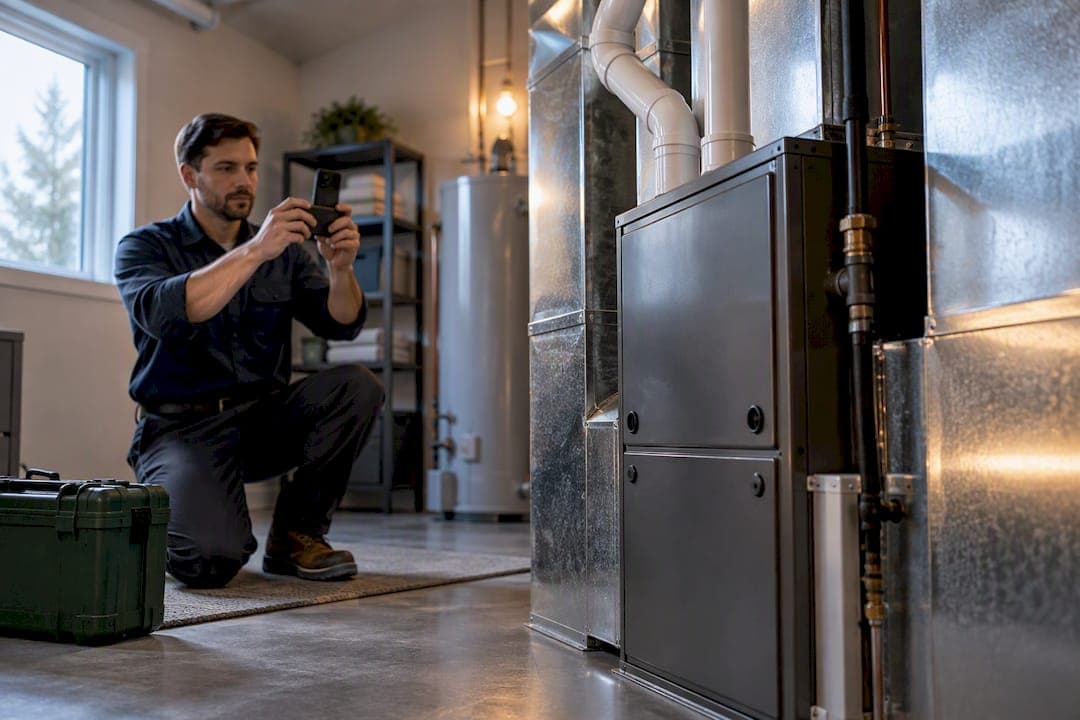
Claim and verify one accurate Google Business Profile, complete your primary category and full service list, add hours and photos, and start asking every satisfied customer for a text review with a photo. Verification confirms you control the listing, complete fields tell Google what jobs you handle, and fresh reviews signal to both Google and homeowners that you're active and trustworthy right now.
TL;DR:
- Claim and verify your Google Business Profile within 30 days using your official business info to prevent suspensions and ensure control over your listing.
- Optimize your profile by accurately listing primary and secondary categories, detailed service descriptions, real photos, and relevant attributes to improve relevance and trust signals.
- Regularly gather detailed, photo-inclusive reviews soon after jobs, and respond promptly to build reputation and boost local SEO prominence.
- Maintain consistency of your NAP (name, address, phone number), website service pages, and directory listings to reinforce your presence and avoid ranking issues.
- Monitor Insights data monthly to identify seasonal demand patterns, adjust promotions proactively, and consider managed services to sustain profile health without extra workload.
- ✓Google Business Profile optimization
- ✓Google Maps visibility tracking
- ✓Review monitoring and response strategy
- ✓Local SEO support
Table of Contents
- What a Google Business Profile is and how it drives HVAC leads
- How to find, claim, and verify your HVAC business profile (concrete steps)
- Choosing categories, services, and attributes for HVAC
- Service area vs storefront vs hybrid: set service areas correctly
- Photos, videos, posts, and content: what to publish and why
- Reviews and reputation: building a compliant pipeline that helps local rankings
- Priority technical and off-profile actions (checklist to boost local rankings)
- Avoiding and recovering from suspensions: a practical troubleshooting guide
- Example managed-service workflow from Local Growth Direct (audit to optimize to monitor)
- Integration of Google Business Profile with other local SEO and marketing platforms specific to HVAC
- Competitor analysis on Google Business Profiles for HVAC businesses and benchmarking tactics
- Tips for leveraging Google Business Profile Insights data to refine marketing and service strategies
- Common customer questions specific to HVAC that should be addressed in the Q&A section
- Practical prioritization roadmap for HVAC GBP work
- How Local Growth Direct can help with your profile
- Authoritative Google docs and industry reads
- Sources
- FAQ
What a Google Business Profile is and how it drives HVAC leads
A Google Business Profile is the free listing that shows up in Google Search, Google Maps, and the Local Pack when someone searches for furnace repair or AC installation near them. For an HVAC company, every field you fill in translates directly into a lead type: your phone number drives calls, your address or service area drives direction requests, your messaging setting drives texts, and a booking link drives scheduled appointments.
Google ranks profiles on three factors: relevance, distance, and prominence. Relevance comes from how closely your categories and service list match the search term. Distance is fixed by your address or service area and can't be gamed. Prominence comes from your review volume, review quality, and overall web presence.
- Search and Maps results pull directly from your profile fields, not just your website.
- Calls, direction requests, and messages are tracked as measurable actions in your dashboard.
- Booking links and Q&A responses can turn a browsing searcher into a scheduled job.
How to find, claim, and verify your HVAC business profile (concrete steps)
Before creating anything, search your business name plus city on Google. Technicians and even past employees sometimes create an unmanaged listing, so check Maps as well as Search. If a profile already exists, you can request ownership transfer instead of starting from scratch, which preserves any existing reviews.
- Search for your business name and city on Google Search and Maps to check for an existing, unclaimed listing.
- Sign in with the Google Account you want tied to the business (use a dedicated business account, not a personal one) and select "Manage now" or "Claim this business."
- Fill in your name, address or service area, phone number, and category exactly as they appear on your signage and paperwork.
- Choose a verification method from whatever Google offers your business type and region, which can include postcard, phone, SMS, email, or live video verification.
- Complete verification and then build out the rest of your profile fields.
Postcard verification typically takes a few days to arrive by mail, and the code on it expires 30 days after it's requested, so check your mail regularly once you request one. Requesting a second postcard invalidates the first code, which restarts your waiting period, so patience beats impatience here.
Avoid editing your business name, address, or category while verification is pending. Google's own guidance notes that changes during this window can flag the listing for review or delay approval further, according to Google's verification instructions. If verification fails outright, check your business information for mismatches against your license or utility bill, confirm you're using a business Google Account rather than a personal one shared with staff, and reapply rather than repeatedly resubmitting the same request.
Pro Tip: Keep a screenshot of your submitted business details before you request verification, so if a code is rejected, you can confirm nothing changed on your end.
Choosing categories, services, and attributes for HVAC
Your primary category should describe exactly what you do, not what sounds broadest. "HVAC contractor" usually outperforms a vague label like "contractor" because it matches the specific searches homeowners type. Add secondary categories only when they reflect real, regularly performed work, such as "air conditioning repair service" alongside your primary listing.
The service list matters as much as the category. Instead of one generic "HVAC services" line, break it into granular entries: furnace repair, AC installation, ductwork cleaning, thermostat replacement, and emergency heating repair, each with a short description in plain language. This granularity is what lets Google match your profile to specific, high-intent searches rather than a vague catch-all term.
- List services the way customers search for them, not the way your invoices describe them.
- Add attributes like emergency service, free estimates, or senior discount only when they're genuinely offered.
- Keep your business name exactly as it appears on your signage and licensing, with no added keywords.
- Skip secondary categories that don't reflect work you actually perform regularly.
Resist the urge to stuff your business name with extra keywords like "24/7 Emergency HVAC Repair Experts." Google's guidelines require your listed name to match your real-world branding, and a stuffed name is one of the more common triggers for a suspension review.
Service area vs storefront vs hybrid: set service areas correctly
HVAC companies generally fall into one of three profile types. A storefront business has a public office or showroom customers can visit. A service-area business, common among HVAC fleets, operates from a base that customers never visit and instead travels to job sites. A hybrid business does both, keeping an office while also serving a wider surrounding area.
For service-area and hybrid businesses, Google lets you define up to 20 service areas using cities or postal codes rather than a fixed radius, and these should reflect the areas you actually and reasonably serve, according to Google's guidance on service areas. A residential HVAC company covering three adjacent counties would list those cities or zip codes directly rather than guessing at mileage.
- Only show a public address if customers can walk in during posted hours; otherwise hide it and use service areas alone.
- List service areas by city or postal code, matching Google's interface, rather than trying to describe a radius in the address field.
- A single-truck operation with no office should register as service-area only, with no public address shown.
- A company with a retail showroom for units and parts, plus a repair fleet, fits the hybrid model best.
Photos, videos, posts, and content: what to publish and why
Profiles with strong, current photos build trust before a homeowner ever picks up the phone. The highest-impact images for HVAC are branded trucks parked at a job site, technicians in visible PPE, and before-and-after shots of completed installs or repairs. These photos do double duty: they prove you're a real, active business and they show the quality of your actual work.
Video and Google Posts are worth using for seasonal promotions (a fall furnace tune-up special), quick maintenance tips (changing a filter), or short clips of a completed install. Posts refresh your profile's activity signal and give you another surface to mention current offers.
Google's photo and video policies prohibit misleading, offensive, or unrelated content, and businesses are responsible for making sure uploads represent their actual location and work, per Google's content policy for photos and videos. Stock photos of generic HVAC units, without any connection to your actual jobs, can undercut trust even when they're technically allowed.
- Upload real job photos regularly rather than a one-time batch at setup.
- Name image files descriptively before upload (furnace-repair-job.jpg beats IMG4821.jpg).
- Write short, specific captions that mention the service performed, not just the neighborhood.
Pro Tip: Refresh your photo library every season, swapping in current job shots so the profile never looks abandoned between visits.
Reviews and reputation: building a compliant pipeline that helps local rankings
Not all reviews carry equal weight. Text-rich reviews that name the specific service performed and include a photo have more local SEO value than a bare five-star rating with no comment, according to Search Engine Land's analysis of review impact. A steady, recent flow of these reviews, rather than a single burst, is what strengthens prominence over time.
Google reviews strongly shape local visibility: Search Engine Land reports that text-rich, photo-bearing reviews with consistent recency meaningfully outperform star-only ratings for local ranking signals.
Google also collects aspect ratings for service businesses, letting customers select the specific job type they had done when leaving a review, based on your service list, according to Google's guidance on service business reviews. This is another reason a granular, accurate service list matters: it directly shapes what your reviewers can tag their feedback with.
- Request a review soon after job completion, while the work is still fresh in the customer's mind.
- Send a direct review link by text or email rather than asking customers to search for you themselves.
- Keep the ask short: one line thanking them and one line inviting a quick review with a photo if they have one.
- Automate the request through your invoicing or scheduling software so no completed job gets skipped.
- Respond to every review, positive or negative, within a few business days to show active management.
For negative reviews, respond calmly, offer to resolve the issue offline, and reserve public escalation for cases where the review itself violates Google's policies, such as a competitor posting fake feedback, which can be flagged for removal rather than argued with in the comments.
Priority technical and off-profile actions (checklist to boost local rankings)
Your Google Business Profile doesn't operate in isolation. Off-profile consistency reinforces every field you fill in, and Google cross-references your listed information against what it finds elsewhere on the web.
- Keep your name, address, and phone number (NAP) identical across your website, GBP, and every directory listing.
- Build website service pages that mirror your GBP service list word for word, so both sources reinforce the same terms.
- Add LocalBusiness structured data (schema) to your website so search engines can parse your hours, service area, and category programmatically.
- Enable messaging on your profile so homeowners can text a question without dialing.
- Add a direct booking URL if your scheduling software supports it, rather than routing every lead through a phone call.
- Monitor the Q&A section and answer new questions within a day or two before a competitor or a stranger answers incorrectly.
- Post seasonal promotions through Google Posts on a regular cadence rather than leaving the feed empty for months.
- Pursue local citations and directory listings that match your NAP exactly, plus backlinks from local suppliers or trade associations.
- For multi-city coverage, build distinct location pages on your website that align with each service area listed in your profile.
In your Insights dashboard, watch trends in calls, direction requests, and messages rather than a single week's snapshot. A steady rise in messages but a flat call count might mean your audience prefers texting, which should shape how you staff your phones versus your inbox.
Avoiding and recovering from suspensions: a practical troubleshooting guide
The most common causes of HVAC profile suspensions are straightforward once you know them: creating a second profile for the same legal business, listing a virtual office or PO box as a physical address, or using a business name that doesn't match your real-world signage and licensing, all of which violate Google's guidelines for representing your business.
- Search your business name across Google to confirm no duplicate profile exists for the same location.
- Compare your listed address, name, and category against your business license and current signage for mismatches.
- Gather documentation before requesting reinstatement: photos of your signage, a copy of your lease or utility bill, and business cards showing your listed name and address.
- For multi-location or franchise setups, assign one dedicated profile per physical location or defined service area, never one shared profile trying to cover several.
Pro Tip: Before you ever request reinstatement, read Google's policy overview in full so your appeal addresses the specific violation rather than a generic explanation.
Example managed-service workflow from Local Growth Direct (audit to optimize to monitor)
A managed workflow generally follows three phases, and comparing them against a DIY approach helps you decide where your own time is best spent. An audit phase checks profile health: duplicate listings, service list gaps, category accuracy, and a baseline count of current reviews. An optimization phase handles verification support, uploads new photos and service descriptions, aligns the service list with actual job types, and sets up an automated review request flow. A monitoring phase reviews Insights data monthly, tracks new reviews as they arrive, and manages responses so nothing sits unanswered.
- Audit: profile health check, duplicate detection, service mapping against actual job types, and a review baseline.
- Optimize: verification troubleshooting, photo and content uploads, service list alignment, review flow setup.
- Monitor: monthly Insights review, ongoing reputation tracking, and response management for new reviews.
- Decide: a single-truck operation with time to spare can likely manage this in-house; a multi-technician company juggling dispatch and billing often benefits from handing the ongoing pieces to a managed provider.
Integration of Google Business Profile with other local SEO and marketing platforms specific to HVAC
Your Google Business Profile works best as one piece of a connected system, not a standalone listing. Field service software that handles scheduling and invoicing, such as the tools most HVAC companies already run dispatch through, can often trigger review requests automatically the moment a job is marked complete, which keeps your review flow tied to real, verifiable work rather than a manual reminder someone forgets to send.
Your website and your profile should stay in sync at the field level. If your GBP lists "ductless mini-split installation" as a service, your website needs a page using that same phrase, and any call-tracking number on your site should route to the same phone number listed on your profile so Google sees one consistent business identity across channels.
Customer relationship management (CRM) systems used for HVAC dispatch and billing can also feed customer contact information into your review request automation, closing the loop between "job completed" and "review requested" without a technician having to remember to ask. Email and SMS marketing platforms play a supporting role here too, since a review request is really just one more automated touchpoint in a customer's post-service communication sequence.
The common thread across all of these integrations is consistency: the same business name, the same service terms, and the same contact information, repeated everywhere a customer or a search engine might encounter your business.

Competitor analysis on Google Business Profiles for HVAC businesses and benchmarking tactics
Looking at how competing HVAC companies in your service area structure their profiles gives you a practical benchmark, not just inspiration. Search your core terms, such as "furnace repair" plus your city, and note which profiles appear in the Local Pack. Open each one and check three things: their primary category, the granularity of their service list, and their review count alongside how recent those reviews are.
A competitor with 300 reviews sounds intimidating, but if most are old, star-only ratings with no text, your fresher, more detailed review flow can still close the gap in relevance and prominence over time. Pay attention to which photos they've uploaded and whether they're using Google Posts actively or letting the feed sit stale, since an inactive competitor profile is often the easiest one to outrank.
Benchmarking isn't about copying a competitor's category choices outright. If a nearby company lists a category that doesn't match what you actually do, following their lead just to "match" them can misrepresent your own business and create a compliance risk. Use competitor profiles to spot gaps in your own listing (a service you offer but haven't listed, an attribute you qualify for but haven't added) rather than as a template to imitate wholesale.
Revisit this comparison every few months, since profiles change: a competitor might add emergency service attributes, launch a review campaign, or start posting weekly, and any of those shifts are worth noticing before they widen the gap.

Tips for leveraging Google Business Profile Insights data to refine marketing and service strategies
Your Insights dashboard tracks how customers find and interact with your profile, and reading it as a trend line rather than a single data point is what makes it useful. Watch calls, direction requests, website clicks, and messages over several weeks rather than reacting to any one day's numbers.
A spike in direction requests without a matching rise in calls might mean people are finding you but choosing to drive by or check a competitor first, which could point to a trust gap your reviews or photos need to close. A steady climb in messages relative to calls suggests your customer base increasingly prefers texting, which should shape whether you assign someone to monitor messages throughout the day rather than only fielding phone calls.
Seasonal HVAC demand shows up clearly in this data too. Search interest and profile actions typically climb before the first serious heat wave or cold snap each year, so reviewing Insights in late winter and late summer helps you time seasonal Google Posts (spring AC tune-up specials, fall furnace inspection offers) to match when homeowners are actually searching, rather than posting promotions after demand has already peaked.
Cross-reference Insights against your actual job volume when you can. If impressions are climbing but booked jobs aren't, the gap usually points to your review quality, photo freshness, or a service list that doesn't match what people are searching for, rather than a visibility problem alone.
Common customer questions specific to HVAC that should be addressed in the Q&A section
The Q&A section on your profile is public and searchable, which means it's worth seeding with the questions homeowners actually ask before they call. Left empty, it's also open to strangers posting incorrect answers that sit unanswered indefinitely.
Common HVAC questions worth addressing directly include whether you offer emergency or after-hours service and what that costs compared to standard scheduling, whether you provide free estimates for new installations, what brands or equipment lines you install and service, whether you offer any financing or payment plans for larger jobs like full system replacements, and what your standard service area actually covers.
Seasonal questions are worth adding too: how far in advance customers should book a fall furnace tune-up, or what to do if a system fails during a weekend heat wave. Answering these proactively, in your own words as the business owner, does two things: it saves your staff from fielding the same phone questions repeatedly, and it demonstrates active management to anyone browsing before they've decided who to call.
Check the Q&A section on a regular basis, since anyone with a Google Account can post a question or an answer, and an unanswered or incorrectly answered question left sitting for months looks worse than no question at all.
Practical prioritization roadmap for HVAC GBP work
Most HVAC owners don't need a long project plan here, just a clear order of operations.
- First 30 days: claim and verify your profile, fix any NAP mismatches, confirm your primary category, and upload a first batch of real job photos.
- Next 90 days: set up automated review requests, align your website's service pages with your GBP service list, add structured data, and expand into additional city coverage if your service area supports it.
- Ongoing: respond to reviews weekly, pull an Insights report monthly, and post seasonal promotions as demand shifts through the year.
The businesses that treat this as a maintained system, rather than a one-time setup task, are the ones still ranking well a year later.
— John
How Local Growth Direct can help with your profile
Running an HVAC company already means juggling dispatch, billing, and a crew, and a profile that needs weekly attention is easy to let slide. Local Growth Direct's Google Business Profile management handles the ongoing work: ensuring your listing stays accurate, your review requests keep flowing, and your monthly reporting shows what's actually changing in your Insights data.

- Engagements typically include profile auditing, verification support if needed, ongoing content and photo updates, and review generation and response programs.
- When evaluating providers, consider what work is delivered each month, the frequency of reporting results, and how clearly any changes and their reasons are communicated.
If you'd rather hand this off than manage it in-house, reach out to Local Growth Direct to talk through what a managed profile and reputation program would look like for your business.
Authoritative Google docs and industry reads
For anyone who wants to go straight to the primary sources behind this guide:
- Manage your service areas for service-area and hybrid businesses, Google's own rules for defining coverage.
- Verify your business on Google, the full breakdown of verification methods and timing.
- About reviews for service businesses, how aspect ratings and job selection work.
- Why Google reviews will power up your local SEO in 2025, Search Engine Land's analysis of review impact.
Sources
- Manage your service areas for service-area & hybrid businesses - Google Business Profile Help
- Verify your business on Google - Google Business Profile Help
- About reviews for service businesses - Google Business Profile Help
- Why Google reviews will power up your local SEO in 2025 - Search Engine Land
FAQ
Do I need an LLC for Google Business?
No, Google doesn't require a specific business structure like an LLC to create or verify a profile. You do need to represent your business name and address accurately and consistently with your actual licensing and signage, regardless of whether you operate as a sole proprietor, LLC, or corporation.
Is HVAC a booming business?
Demand for HVAC services tends to track closely with seasonal weather swings, rising sharply before heat waves and cold snaps each year. Rather than citing a specific growth figure, the more useful takeaway for owners is that Insights data on your own profile will show these seasonal surges directly in your impressions and call volume.
What is a fancy name for an HVAC company?
There's no official or required naming convention for HVAC businesses, and Google's guidelines actually require your listed name to match your real-world branding and signage exactly. A distinctive name can help with recall, but stuffing extra descriptive keywords into your business name on your profile risks a policy violation rather than helping your ranking.
How can I use AI in my HVAC business?
AI tools are increasingly used in HVAC operations for tasks like drafting review response templates, summarizing customer feedback trends, or generating first-draft service descriptions for a Google Business Profile. These tools work best as a starting point that a real person reviews and personalizes, since a generic or clearly automated response can undercut the trust a profile is meant to build.